Home Creators Posts Import Register Favorites Logout
haven't archived this post yet. have a subscription? use the importer!

Downloads

  • LeafOka.zip

Missing 11 full-res photos, 1 file.

Content

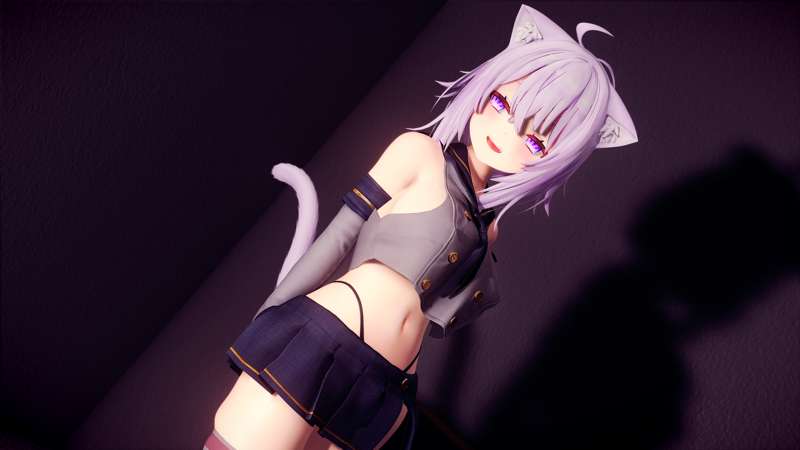
commissioned by KBKYZD , be grateful to him!

test follower : whiterun inn


physics hair and tail updated

Files

Previews only

Comments

GF4K Arts

This fits well with your keqing mod

Lewis132

How do you make these race mods use custom body types/presets?

Beofuled

sorry but i can't understand what do you mean can you explain more detail?

Lewis132

When I change to a default race it has a different sized body to when I swap to your race mods, so I was wondering if there is a way to make the races have the same body.

Beofuled

oh, so you need the bodyslide presets right,? but i don't have that so you need make new one, if you need so

Lewis132

I have a body preset but how do I apply it to the specific race? (e.g. okayu or la+)

Beofuled

overwrite your body meshes files to their body meshes folder If you open their mod folder, you can easily find it with explorer

KBKYZD

Hey I edit the body files all the time of Races and Followers. Do you want them to use your default body that you have set?

Lewis132

Yeah as when I play with the custom races the bodies are different to the preset I've used so it makes the textures and physics a bit wierd.

KBKYZD

So the important thing first is that you need the default body to match your preset. CBBE, UNP, 7B. I think all of Leaf's mods have CBBE texture if you use something else then it will look wierd. If you do use CBBE then you can easily make the race use your body preset by one of 2 ways: 1. the way Leaf mentioned. Manually replace the race files with your body files. Find these files from your body you want to use: FemaleBody_0.nif FemaleBody_1.nif FemaleHands_1.nif FemaleHands_0.nif FemaleFeet_1.nif FemaleFeet_0.nif Find those files in Okayu or any other race and replace them with yours.

KBKYZD

2. Use SSEEdit (this is what I use) Find the mod file itself then go into the mod itself. Find Armor Addon -> Nakedtorso (might be named differently in each mod). then change the "MOD3 - Model FileName" to match the path of your body. repeat this for Hands and feet. The default body path for skyrim is: Actors\Character\Character Assets\FemaleBody_1.nif If you do this then everytime you change the default body in bodyslide for any reason you don't have to do anything as the new body will always match the default one in the system.

KBKYZD

Don't think I explained it that well but if you have any questions you can hit me up on discord. Good luck.

Lewis132

Thanks for the help, I'll give both methods a go and hope for the best.